
Introduction
Building a gaming PC can be an exciting way to enjoy your favorite games while choosing the hardware that fits your budget. Unlike buying a prebuilt computer, building your own system lets you select individual components, customize its appearance, and upgrade parts when your needs change.
However, beginners may find it difficult to decide which processor, graphics card, motherboard, RAM, and storage drive to purchase. Component compatibility is also important because not every part works with every computer system.
The good news is that you can build a capable gaming PC by planning carefully and following a step-by-step process. This guide explains the essential components, how to choose compatible hardware, and what to do after assembling your computer.
- Decide Your Gaming PC Budget
Before purchasing computer components, decide how much money you can spend. Your budget determines the performance level of your gaming PC and helps you avoid unnecessary purchases.
Start by considering the games you want to play. Popular competitive games may run well on affordable hardware, while demanding modern games often require a more powerful graphics card and processor.
Remember to include the cost of accessories in your budget. A monitor, keyboard, mouse, headset, and operating system may add considerably to the total.
You should also reserve some money for unexpected expenses, such as additional cooling fans or a compatible power cable.
Instead of spending your entire budget on one expensive component, aim for a balanced system that provides good performance across the games you enjoy.
- Choose the Right Processor
The central processing unit (CPU) handles instructions, game logic, background tasks, and many other operations. A suitable processor helps your computer run games smoothly and supports other activities such as streaming or video editing.
Popular desktop gaming processors are available from manufacturers such as AMD and Intel. Each product family contains different models designed for different performance levels and budgets.
When selecting a CPU, consider:
The performance required by your favorite games.
The processor’s generation and specifications.
Compatibility with your motherboard.
Power consumption and cooling requirements.
Your budget and future upgrade plans.
Do not choose a processor based only on its core count or clock speed. Independent gaming benchmarks can help you understand how a specific model performs in real applications.
- Select a Suitable Graphics Card
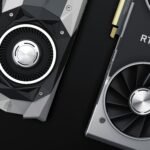
The graphics processing unit (GPU) is one of the most important components in many gaming computers. It processes images, textures, lighting, and visual effects displayed on your monitor.
Your choice should depend on your target resolution and preferred games. A system designed for 1080p gaming may not need the same GPU as a computer intended for demanding 1440p or 4K gaming.
Before buying a graphics card, check its performance in games you actually play. Consider VRAM capacity, power requirements, physical size, cooling, and supported features.
You should also make sure your power supply can handle the GPU and that your case has enough space for installation.
A balanced graphics card is usually a better investment than purchasing the most expensive model without considering the rest of the system.
- Pick a Compatible Motherboard
The motherboard connects the processor, memory, graphics card, storage, and other computer components. Choosing the correct motherboard is essential because compatibility depends on the processor socket, chipset, memory type, and supported features.
Before purchasing one, verify that it supports your chosen CPU. You should also check whether it supports DDR4 or DDR5 memory, depending on your selected components.
Consider the following features:
The correct CPU socket.
Support for your chosen RAM type.
Enough expansion slots.
Suitable M.2 or SATA storage connections.
The required USB and networking features.
A form factor that fits your computer case.
Some motherboards may require a BIOS update to support particular processors. Check the manufacturer’s CPU support list before making your purchase.
- Choose the Right Amount of RAM
Random Access Memory (RAM) allows your computer to keep active applications and game data readily available. Having enough RAM helps reduce slowdowns when gaming or multitasking.
The amount you need depends on the games you play and whether you run other applications simultaneously.
For a new gaming PC, 16 GB is a reasonable starting point for many gaming needs, while 32 GB can provide additional flexibility for demanding games, multitasking, and content creation.
Check your motherboard’s memory specifications before purchasing RAM. You should confirm the supported memory type, capacity, and configuration.
Using two compatible memory modules can enable dual-channel operation on supported systems. Follow the motherboard manual for the recommended installation slots.
Remember that more RAM does not automatically increase gaming performance if your existing memory is already sufficient.
- Select an SSD for Faster Loading
Storage determines where your operating system, games, applications, and personal files are kept.
A solid-state drive (SSD) is generally preferable to a traditional hard disk drive (HDD) for installing Windows and frequently played games because SSDs offer much faster access to stored data.
An NVMe SSD can provide high transfer speeds when supported by the motherboard. However, actual game-loading improvements vary depending on the game and hardware.
When choosing storage, consider how much space your games and applications require. Modern games can occupy substantial storage capacity, so a larger drive may be useful if you install many titles.
Check whether your motherboard supports the chosen drive type and size. You can add more storage later if additional capacity is needed.
- Buy a Reliable Power Supply
The power supply unit (PSU) delivers electricity to the computer’s components. A poor-quality or unsuitable PSU can cause instability and may put your hardware at risk.
Choose a reputable model with enough power capacity for your CPU, GPU, and other components. Follow the graphics card manufacturer’s power recommendations and account for the rest of your system.
Before buying, verify that the power supply includes the connectors required by your motherboard and graphics card.
Efficiency certifications can help describe power efficiency, but they do not independently guarantee overall product quality. Reviews, protections, warranty coverage, and the manufacturer’s reputation also matter.
Never open a power supply to repair it yourself. Its internal components can retain dangerous electrical charges even after it has been unplugged.
- Choose a Computer Case and Cooling System
The computer case houses your components and helps direct airflow through the system. A well-designed case can make assembly easier and help maintain suitable operating temperatures.
Before choosing a case, check its motherboard form-factor support and the maximum graphics card length. Also confirm clearance for the CPU cooler, radiator, and power supply.
Cooling requirements depend on your hardware. Many processors work well with a suitable air cooler, while some high-performance systems may benefit from more advanced cooling.
Look for a case with good ventilation and room for the necessary fans. Keep cables organized so they do not obstruct airflow.
You do not need expensive RGB lighting or elaborate cooling equipment to build a good gaming PC. Prioritize compatibility, reliable cooling, and build quality.
- Assemble Your Gaming PC Carefully
Once all components arrive, prepare a clean, well-lit workspace. Keep liquids away from the equipment and follow the instructions supplied with your components.
A typical assembly process involves these steps:
Prepare the motherboard on a suitable nonconductive surface.
Install the CPU according to the socket instructions.
Attach the CPU cooler as directed.
Install the RAM in the recommended slots.
Install the SSD in the correct slot.
Secure the motherboard inside the case.
Install the power supply.
Fit the graphics card into the appropriate expansion slot.
Connect the power cables and case connectors.
Check every connection before turning on the system.
Handle components carefully and avoid touching electrical contacts. Use appropriate electrostatic discharge precautions.
If a component does not fit easily, stop and check the manual instead of forcing it. Incorrect installation can damage hardware.
- Install Windows, Drivers, and Your Games
After assembling the computer, connect the monitor to the graphics card when using a dedicated GPU. Connect the keyboard, mouse, and power cable, then start the system.
Enter the BIOS or UEFI setup if necessary to confirm that the processor, memory, and storage are detected.
Next, install a legitimate operating system using official installation media. Follow the installation instructions and choose the correct storage drive.
After Windows starts:
Install Windows updates.
Install appropriate chipset and network drivers.
Install the graphics card driver from the manufacturer’s official website.
Check that your monitor is using its intended refresh rate.
Install your games from trusted platforms.
Test temperatures and stability during normal use.
If the PC fails to start, check the motherboard’s troubleshooting indicators and the component manuals. Common causes include loose power connectors, memory that is not seated correctly, or a BIOS compatibility issue.
Conclusion
Building a gaming PC becomes easier when you plan your budget and check compatibility before purchasing components. Start with a suitable processor and graphics card, then select a compatible motherboard, enough RAM, reliable storage, a quality power supply, and a case with adequate cooling.
Take your time during assembly and follow the manufacturer’s instructions carefully. Once the computer is built, install the operating system and drivers, update the system, and test its performance.
You do not need the most expensive hardware to enjoy PC gaming. A well-balanced computer built around your budget and preferred games can deliver a satisfying gaming experience and provide opportunities for future upgrades.