

SFM Compile: The Ultimate Guide for Beginners (2026)Source Filmmaker, or SFM, is a free tool that lets you make 3D animated movies. Many creators use it to build short films, memes, and cinematic scenes. But before you can use custom models in your project, you often need to compile them. This process turns raw files into something SFM can actually read.Compiling can sound scary if you are new to animation or game engines. The word itself makes people think of coding and complex software. In reality, SFM compile is just a way of packaging files so the program understands them. Once you learn the basic steps, it becomes a simple part of your workflow.This guide is made for total beginners in 2026. We will explain what compiling means, why it matters, and how to do it the right way. You will learn the tools you need and the common mistakes to avoid. By the end, you will feel confident compiling your own models for SFM.
Understanding SFM Compile
SFM compile is the process of converting raw 3D assets — meshes, skeletons, textures, and animation data — into a format the Source Engine can read and render. Programs like Blender, Maya, and 3ds Max save files in their own native formats. These formats carry modifier data, custom bone setups, and other metadata that Source Filmmaker has no way to interpret on its own.Compiling acts as a bridge. It takes a model that “exists” in one program and turns it into a model that “works” inside SFM. The result isn’t a single file, either. A properly compiled model is a set of linked files — MDL, VVD, VTX, and PHY — that together tell the engine how the model looks, how it moves, and how it reacts to physics.Think of it like translating a book into another language. The story doesn’t change, but it needs to be rebuilt word by word in a format the new reader understands. That’s exactly what a compiler does with your 3D assets.
Why Compiling Matters for Custom Content
Compiling isn’t just a technical formality — it’s what makes custom content usable at all. Without it, your model stays as a disconnected pile of files that Source Filmmaker simply can’t load.
Compiling matters for:
- Custom characters – so rigged models animate correctly with working bones
- Props and set pieces – so static objects appear with correct textures and collision
- Maps – so level geometry, lighting, and props load together properly
- Ported content – so assets from other games or engines behave correctly in Source
Skipping this step, or doing it incorrectly, is the single biggest reason beginners see missing textures, broken poses, or models that simply refuse to appear.
Vital Software for SFM Compile
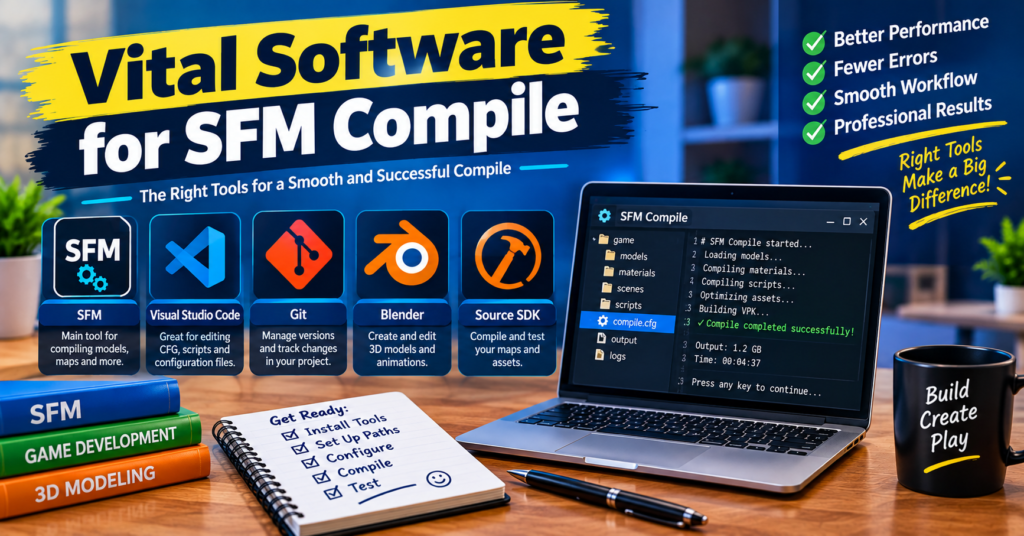
You don’t need an expensive software stack to start compiling. Most creators rely on a small handful of free, community-trusted tools.
| Tool | What It Does | Best For |
|---|---|---|
| Studiomdl.exe | The actual compiler; reads your QC file and builds the model | Advanced users wanting full control |
| Crowbar | A graphical wrapper around Studiomdl with a visible compile log | Beginners avoiding command-line syntax |
| Blender (with Source export plugins) | Builds and exports the model as SMD or DMX | Modeling and rigging |
| Notepad++ | Writing and editing QC files | Scripting the compile instructions |
| HLMV (Half-Life Model Viewer) | Previewing compiled models before loading them into SFM | Testing and troubleshooting |
| VTFEdit | Converting textures into Source’s VTF format | Texture preparation |
Studiomdl.exe lives in the bin folder of your Source Filmmaker installation and does the real work behind every compile. It’s powerful but unforgiving — the command window can close instantly on failure, which makes debugging tricky for newcomers. Crowbar wraps that same engine in a clean interface, keeping the log visible and letting you batch-compile several models at once. Most beginners start here.
SFM Compile Process Steps
Each step in the compile process depends on the one before it, so skipping ahead is where most beginners run into trouble.
- Prepare your model – Finish modeling, rigging, and UV-unwrapping in Blender, Maya, or 3ds Max before exporting anything.
- Export to an intermediate format – Save your mesh and animations as SMD or DMX files using a Source-compatible export plugin.
- Convert your textures – Use VTFEdit to turn PNG or TGA textures into VTF files, and create matching VMT material files.
- Write the QC file – This plain-text script tells the compiler where to find your model, textures, and animations, and how to assemble them.
- Run the compiler – Point Crowbar (or Studiomdl directly) at your QC file and start the compile process.
- Read the log output – Check for errors or warnings line by line instead of skimming past them.
- Test the result – Open the compiled model in HLMV first, then load it inside Source Filmmaker to confirm it works.
A simple, well-organized project folder makes every one of these steps easier to manage and troubleshoot.
SFM Compile at a Glance
If you only remember one thing from this guide, remember this: SFM compile takes raw geometry, skeleton data, and textures, and packages them through a QC file and Studiomdl into the MDL format that Source Filmmaker actually reads.
Quick summary:
- Input: Blender, Maya, or 3ds Max files (mesh, rig, textures)
- Bridge format: SMD or DMX
- Instruction file: QC script
- Compiler: Studiomdl.exe (often run through Crowbar)
- Output: MDL, VVD, VTX, and PHY files
- Verification: HLMV, then Source Filmmaker
What Are the Right Practices for SFM Compile?
Good habits prevent most of the headaches beginners run into. Keep these in mind as you build your workflow:
- Use short, simple folder paths with no spaces or special characters
- Keep texture file names and material paths consistent throughout the project
- Start with a simple static prop instead of a fully rigged character
- Always verify the result in HLMV before loading it into Source Filmmaker
- Keep a backup of your original SMD or DMX files before recompiling
- Read the compiler’s log output line by line instead of skimming it
- Organize models, textures, materials, and QC files into clearly labeled folders
A low-polygon model with a single texture is far easier to compile than a fully rigged character. Once it compiles cleanly and loads correctly, you can move on to animated models and more complex projects with far less trial and error.
Common Errors of SFM Compile
Even experienced creators run into compile errors occasionally. The most frequent ones include:
- Purple-and-black checkerboard textures – usually caused by missing or incorrect material paths
- QC syntax mistakes – a single misplaced command or typo can stop the entire compile
- Broken bones or distorted poses – often the result of mismatched skeleton data between the model and its animations
- Silent compiler crashes – the command window closes before you can read the error, hiding the real cause
- Missing collision or physics data – happens when the QC file doesn’t reference a proper PHY setup
- Overlapping or duplicate file names – confuses the compiler about which asset to load
Most of these errors trace back to file paths, naming inconsistencies, or a QC file that doesn’t match the actual folder structure. Fixing them almost always starts with rereading the compile log rather than guessing.
Sophisticated SFM Compile Techniques
Once the basics feel comfortable, a few advanced habits can speed up your workflow considerably:
- Batch compiling – Compile multiple models in one pass using Crowbar’s batch tools, saving time on large projects
- Scripting and automation – Some experienced creators write scripts to handle repetitive compile tasks automatically
- Custom LOD (Level of Detail) setup – Add lower-detail versions of a model so it renders more efficiently at a distance
- Advanced QC commands – Fine-tune collision models, attachment points, and body groups directly in the script
- Cross-engine porting – Adapt models built for other Source games so they compile cleanly for use in SFM
Learning to work with Studiomdl directly, rather than relying only on Crowbar, gives you finer control once you understand what each QC command actually does.
SFM Compile Workflow for Beginners: Where to Start?
If the whole process still feels like a lot, here’s a realistic starting point:
- Spend time animating with SFM’s built-in assets first to get comfortable with the timeline, lighting, and camera tools
- Download Crowbar, Studiomdl, and VTFEdit, and confirm Crowbar points to the correct Studiomdl location
- Pick one simple static prop — not a rigged character — for your first compile
- Write a minimal QC file and run your first compile through Crowbar
- Check the result in HLMV before touching Source Filmmaker
- Once that works, move to a simple animated model, then gradually build up to full characters
Engaging with the wider SFM community also helps. Forums, tutorials, and shared workflows from experienced creators make it much easier to troubleshoot problems and pick up techniques you wouldn’t find on your own.
Frequently Asked Questions
What is SFM compile in simple terms?
SFM compile is the process of converting a 3D model and its textures, skeleton, and animation data into a format Source Filmmaker can actually load and use.
Do I need to know coding to compile models for SFM?
No. You don’t need programming skills — you just need to understand basic QC script commands, which are closer to simple instructions than actual code.
Why does my model show up as purple and black?
That checkerboard pattern almost always means a missing or incorrectly linked texture path in your material or QC file.
Is Crowbar better than using Studiomdl directly?
Crowbar is easier for beginners because it shows a readable compile log, while Studiomdl gives more direct control once you’re comfortable with command-line workflows.
Can I compile animations separately from the model?
Yes. Animations can be compiled as separate sequences and referenced in the QC file, which is common for characters with many motion sets.
What’s the difference between compiling and rendering in SFM?
Compiling prepares a model so the engine can read it; rendering is the later step where SFM generates the final video output of your scene.
Why does my model look distorted after compiling?
This usually happens when the skeleton in your animation file doesn’t match the bone structure of the compiled model.
Can I use models compiled for other Source games in SFM?
Often yes, since many Source games share the same engine version, though some models may need re-compiling to fix missing textures or bones.
Conclusion
SFM compile can feel intimidating the first time you see a QC file or a wall of command-line text, but the underlying idea is simple: it’s just a translation step that turns your raw 3D work into something Source Filmmaker can understand. Start small with a basic static prop, get comfortable with Crowbar and Studious, and read your compile logs carefully when something goes wrong. Build that foundation, and compiling stops being a barrier — it becomes just another normal part of bringing your animations to life.
