
Introduction
A computer contains several important components that work together to perform different tasks. These include the processor, RAM, storage drive, graphics card, and power supply. However, these components need a central circuit board to connect and communicate with each other. This important component is called the computer motherboard.
Choosing the right motherboard is essential when building a new computer or upgrading an existing system. It affects which processor you can install, how much memory your PC supports, and which storage devices and expansion cards you can use. Understanding motherboard features can help you make a better purchasing decision.
- What Is a Computer Motherboard?
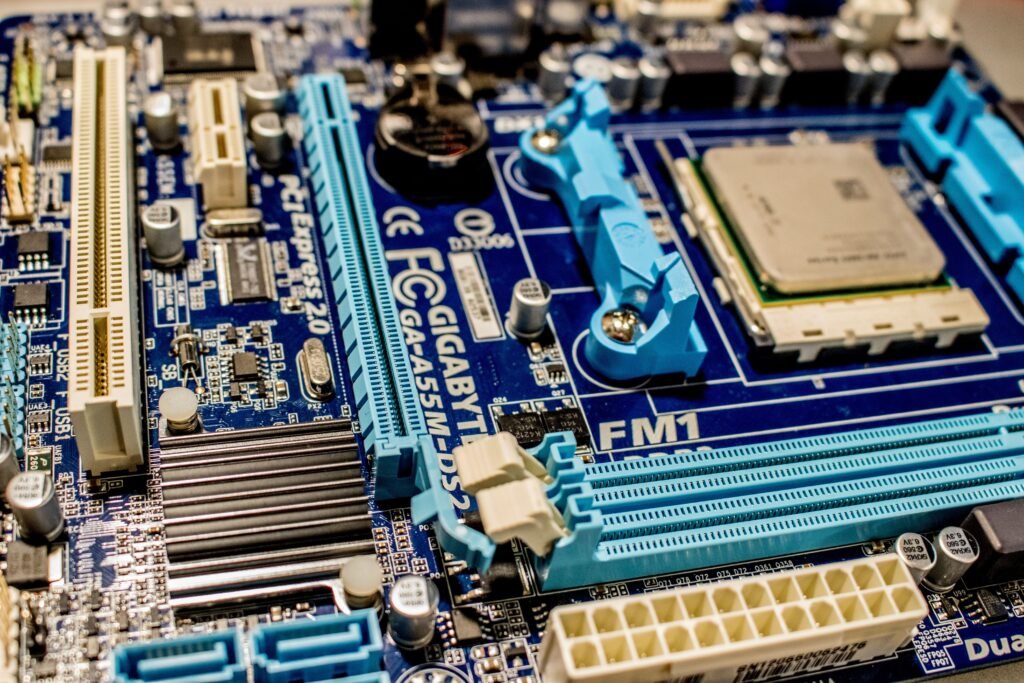
A motherboard is the main circuit board inside a desktop computer or laptop. It connects different hardware components and allows them to exchange information.
The motherboard contains sockets, connectors, circuits, and other components that help the computer operate correctly.
Without a compatible motherboard, the processor, memory, storage, and other hardware cannot work together as intended.
- Main Functions of a Motherboard
The motherboard performs several important functions inside a computer.
It provides a socket for the processor.
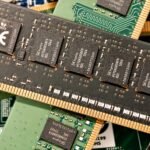
It connects RAM modules to the system.
It provides connections for SSDs and hard drives.
It allows graphics cards and other expansion cards to connect.
It distributes power from the power supply to compatible components.
It provides ports for USB devices, networking, audio, and displays.
The motherboard does not perform every task itself. Instead, it provides the connections and supporting systems that allow other components to work together.
- Different Types of Motherboards
Motherboards come in different sizes and designs. The right type depends on the computer case, intended use, and required features.
Common desktop motherboard sizes include:
ATX: A standard full-size motherboard that often provides several expansion slots, memory slots, and connectivity options.
Micro-ATX: A smaller design that can be suitable for budget computers, office PCs, and many gaming systems.
Mini-ITX: A compact motherboard designed for small computers where saving space is important.
Before purchasing a motherboard, check that its form factor is supported by your PC case.
- Understanding the Processor Socket
The processor socket determines which CPU models can physically connect to the motherboard. Different processor families use different sockets.
For example, modern AMD Ryzen processors and Intel Core processors may require different motherboard platforms. Even processors from the same manufacturer may not share the same socket.
Always check the motherboard’s official CPU compatibility list before buying a processor. A physically compatible socket alone does not guarantee that every CPU will work without the correct BIOS version.
- Why RAM Compatibility Matters
RAM is the computer’s temporary working memory. The motherboard determines which memory generation and configurations are supported.
For example, some motherboards support DDR4 memory, while others support DDR5. These memory types are not interchangeable in standard desktop motherboard slots.
Check the motherboard specifications for maximum memory capacity, supported speeds, number of slots, and recommended memory configurations.
For a general-purpose PC, 16 GB can be a useful starting point. Gaming systems and computers used for demanding multitasking may benefit from 32 GB or more, depending on the workload.
- Storage Connections on a Motherboard
Modern motherboards can support different storage devices, including M.2 NVMe SSDs, SATA SSDs, and traditional hard drives.
NVMe SSDs connect through supported M.2 slots and can provide fast storage performance. SATA connections allow users to install compatible SSDs and hard drives.
Before purchasing a storage drive, check which interfaces your motherboard supports. Also review whether using a particular M.2 slot disables or shares bandwidth with another port on your motherboard.
- Expansion Slots and Graphics Cards
Expansion slots allow you to add components such as graphics cards, network adapters, and other expansion cards.
Most modern desktop graphics cards use a PCI Express slot. However, case dimensions, power supply capacity, and available clearance also matter when installing a large GPU.
If you are building a gaming computer, choose a motherboard that supports your planned graphics card and provides enough space for any additional components you may need.
- Motherboard Ports and Connectivity
Motherboards offer different ports and connection options. These can include USB ports, Ethernet networking, audio connectors, display outputs, and internal headers for case connections.
Some models also include built-in Wi-Fi and Bluetooth, while others require separate adapters.
Consider how many USB devices you use and whether you need wireless networking. If you plan to connect several monitors, check the display options carefully. Motherboard display outputs generally depend on whether the installed processor supports integrated graphics.
- How Much Should You Spend on a Motherboard?
The best motherboard is not necessarily the most expensive one. Your budget should reflect the processor, memory, storage, and other components you intend to use.
A basic motherboard may be sufficient for everyday office work, browsing, and study. A gaming or workstation build may benefit from better connectivity, stronger power delivery, additional M.2 slots, and more expansion options.
Avoid paying extra for features you will not use. Instead, compare specifications, compatibility, warranty, and reliability before making your decision.
- Common Motherboard Problems
Motherboard-related problems can cause a computer to fail to start, restart unexpectedly, or stop detecting certain components. However, these symptoms can also be caused by faulty RAM, a damaged power supply, or other hardware issues.
If your computer does not start, first check the power cable, power supply connections, and RAM installation. Look for motherboard diagnostic lights or beep codes if your system provides them.
Before handling internal components, shut down the computer, unplug it, and follow appropriate electrostatic-discharge precautions. If you suspect a damaged motherboard, professional diagnosis may help prevent unnecessary replacement costs.
Conclusion
The computer motherboard is one of the most important parts of a PC because it connects the processor, RAM, storage, graphics card, and other hardware. Choosing a compatible model helps ensure that your system works correctly and leaves room for future upgrades.
Before buying a motherboard, check its size, processor socket, memory support, storage connections, expansion slots, and connectivity options. A well-matched motherboard can help you build a reliable computer for office work, gaming, study, or everyday use.